- Information of Armor Sandbox APK
- A Physics-Based Approach Instead of Arcade Damage
- Build Your Own Armor Test
- Three Simulation Solvers
- How the Three Modes Work Together
- Materials With Documented Sources
- Documented Limitations
- Projectile and Ammunition Database
- Reactive Armor and Composite Structures
- Slow-Motion Playback and Free Camera
- Shareable Replay Files
- Five Interface Languages
- Is Armor Sandbox APK a Normal Mobile Game?
- Who Is ArmorSim Designed For?
- Physics Instead of Hit Points
- Why Transparency Matters
- Performance and Simulation Time
- Final Verdict
- FAQs About Armor Sandbox APK
Armor Sandbox APK, also known as ArmorSim, is a 3D terminal ballistics simulator designed for users who are interested in armor, projectiles, materials, and realistic impact simulation. Instead of relying on health bars, scripted damage animations, or arbitrary armor points, the simulator focuses on physics-based outcomes. The central question behind every test is simple: will the projectile penetrate the target or not?
ArmorSim allows users to construct their own test scenarios by choosing armor plates, thicknesses, angles, spacing, and materials. The projectile can also be configured or selected from historical ammunition associated with American, Soviet/Russian, and German arsenals. Once a simulation begins, the impact is calculated rather than simply displayed as a predetermined animation.
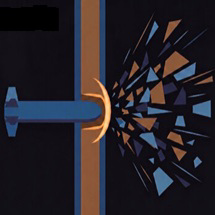
The resulting scene can show effects such as projectile erosion, plate deformation, penetration, material failure, and fragment movement. Users can then examine the result using a free-orbit camera and slow-motion playback. This makes the experience particularly interesting for people who want to visually inspect how different materials and configurations behave under simulated impact conditions.
A Physics-Based Approach Instead of Arcade Damage
Many games simplify armor by assigning a numerical value to a material and determining damage through predetermined rules. ArmorSim takes a different approach. Its stated design philosophy is based on material properties and published physical models, rather than a conventional hit-point system.
The simulator uses information such as density, strength characteristics, and other material data to calculate outcomes. This means changing a plate's properties or configuration can influence the resulting simulation rather than simply changing a hidden armor score.
The visual result is also intended to reflect the calculated event. Depending on the simulated conditions, users may see deformation, penetration effects, material removal, plugs, irregular openings, or fragments. The philosophy is deliberately straightforward: no artificial sparks, glowing effects, or cinematic explosions are required to make the result interesting.
Build Your Own Armor Test
One of ArmorSim's main attractions is its free-build scene editor. Instead of working with a fixed collection of predefined targets, users can construct their own arrangements and experiment with different configurations.
You can create setups involving individual plates or more complicated arrangements involving multiple layers. Plates can be added, moved, rotated, and assigned different materials. Spacing between layers can also be incorporated into a test.
This gives the simulator a laboratory-like character. You can modify one variable, run a simulation, observe the result, and then change it again. The process makes it possible to compare different theoretical configurations without relying on a conventional game mission structure.
Armor Materials and Layered Configurations
The simulator includes an extensive material database containing 14 armor materials and 4 penetrator cores, according to the supplied feature information. Different materials can therefore be assigned to different parts of a target.
Layered and spaced arrangements are also supported. Composite configurations can include ceramic with backing and other types of backing structures. Reactive armor is included as another supported configuration.
The emphasis is on experimentation. Rather than presenting a single “best armor” answer, the simulator provides a framework in which users can examine how different configurations behave under the modeled conditions.
Three Simulation Solvers
ArmorSim provides three different simulation modes: NORMAL, ADVANCED, and ULTRA. Each mode is designed around a different balance between speed, complexity, and computational requirements.
NORMAL Mode
NORMAL is the fastest solver. The supplied description identifies it as an analytic terminal-ballistics approach using models including Alekseevskii–Tate erosion integration, Recht–Ipson residual velocity, a Rosenberg ricochet criterion, and Grady fragmentation.
The main benefit of this mode is speed. A simulation can be calculated very quickly, allowing users to make a change and immediately perform another test. This makes NORMAL mode suitable for rapid experimentation.
For example, if you want to compare several configurations, the fast solver allows you to adjust a parameter, run the calculation, inspect the outcome, and repeat the process without waiting several minutes for every individual test.
ADVANCED Mode
ADVANCED uses the same fundamental analytical core while exposing more information about what happens inside a layered target.
This mode supports layered and spaced armor arrangements, reactive armor configurations, and per-layer energy accounting. The simulator can report information such as ballistic limit, wear fraction, and residual velocity for individual layers that the modeled projectile encounters.
That additional information makes ADVANCED mode useful when the goal is not simply to know whether a target was penetrated. Instead, users can examine how the simulated projectile's energy changes as it interacts with successive layers.
ULTRA Mode
ULTRA is the most computationally demanding option. The supplied description characterizes it as a continuum solver using an axisymmetric Lagrangian mesh, Johnson–Cook plasticity, a Mie–Grüneisen equation of state, adiabatic shear banding, and element erosion.
Unlike the fast analytical solver, ULTRA can take considerably longer to produce an individual result. The benefit is a more detailed representation of the modeled impact and resulting material deformation.
The developers also emphasize that ULTRA is not presented as a replacement for a large professional hydrocode. Instead, it is designed with clearly stated limitations. For example, the continuum calculation is axisymmetric and intended for head-on impact scenarios within its supported assumptions.
How the Three Modes Work Together
A particularly interesting design choice is the separation between outcome calculation and visual damage rendering. According to the supplied description, ULTRA is responsible for rendering the physical shape of the simulated damage, while the analytical core remains responsible for declaring the final outcome.
This prevents different solvers from producing contradictory conclusions about the same scenario. In other words, the detailed visual simulation is not supposed to independently override the primary analytical result.
That approach gives the application a useful balance between speed and visual detail. Users can run quick experiments with NORMAL or ADVANCED and reserve ULTRA for situations where examining the modeled physical deformation is worthwhile.
Materials With Documented Sources
ArmorSim places significant emphasis on transparency in its material database. Rather than presenting every material property as unquestionable fact, the system reportedly identifies how individual values were obtained.
Material constants can be categorized as MEASURED, DERIVED, FITTED, or ASSUMED. The database also identifies the source associated with the information.
This is important because material properties can vary depending on test conditions, manufacturing processes, measurement methods, and available research. Clearly identifying the origin of a value gives users more context when interpreting a simulation.
The simulator also documents situations where reliable open data is unavailable. Instead of silently substituting an unrelated material value, unsupported materials can be marked as such with an explanation.
Documented Limitations
ArmorSim does not attempt to claim that every possible ballistic scenario can be solved accurately. The supplied description explicitly states that the system documents its limitations.
This is particularly relevant to ULTRA mode, which is axisymmetric and intended for head-on impacts. A scene outside those assumptions is not supposed to receive a fabricated result simply to make the software appear more capable.
That approach can be valuable for technical simulation software. Knowing when a model should not be trusted can be just as important as knowing what it can calculate.
Projectile and Ammunition Database
The simulator includes kinetic penetrators associated with American, Soviet/Russian, and German service ammunition. It also provides four penetrator-core materials within its broader material database.
The inclusion of historical ammunition gives the application an additional research and educational dimension. Users interested in the evolution of armor and projectile technology can use the simulator to explore modeled scenarios involving different historical designs.
The supplied feature list also mentions shaped-charge jets at normal incidence, expanding the simulation beyond conventional kinetic penetrators.
Because the software is fundamentally a simulation environment, its results should be understood as outputs of its selected models and input data rather than universal predictions of real-world performance.
Reactive Armor and Composite Structures
ArmorSim supports several more complicated target configurations beyond simple homogeneous plates. These include reactive armor, ceramic with backing, and composite backing plates.
Such configurations are interesting because their behavior cannot always be represented by simply adding the thicknesses of individual layers. The interaction between materials, spacing, and the modeled impact conditions can affect the calculated result.
The ADVANCED solver is especially relevant here because it provides per-layer information. This allows users to examine the modeled interaction with a stack instead of treating the entire target as one anonymous block.
Slow-Motion Playback and Free Camera
Simulation data becomes much easier to understand when users can inspect it visually. ArmorSim includes slow-motion playback and a free-orbit camera, allowing the scene to be viewed from different angles.
This means users do not have to rely exclusively on a final numerical result. They can observe the modeled deformation and inspect the simulated damage from multiple viewpoints.
The camera system also makes the application more engaging for visual analysis. A user can pause or slow the simulation and move around the scene to examine what happened during the impact.
Shareable Replay Files
ArmorSim also supports shareable replay files. According to the supplied description, a complete ULTRA simulation can be stored in a file of only a few megabytes.
This provides a convenient way to preserve a simulation and share it with another user. Instead of recording the entire process as a video, a replay can retain the simulation itself for later examination.
For technical communities, this can be particularly useful because someone receiving the replay can inspect the modeled event rather than simply watching a pre-rendered recording.
Five Interface Languages
The application supports five interface languages:
-
English
-
Русский
-
Deutsch
-
Polski
-
Татарча
This multilingual interface makes the application accessible to users from several language communities. It also fits naturally with the simulator's inclusion of historical American, Soviet/Russian, and German ammunition.
Is Armor Sandbox APK a Normal Mobile Game?
The term APK generally refers to an Android application package. However, the feature description supplied for ArmorSim is focused heavily on technical simulation, configurable scenes, material databases, multiple solvers, and computationally demanding ULTRA calculations.
Users should therefore verify the original source before downloading anything described online as an Armor Sandbox APK. An unofficial APK may not necessarily represent the same software as the original ArmorSim project.
If a download page makes claims about premium features, modified calculations, unlimited access, or other changes, users should verify the source carefully. The name of an application alone does not prove that an APK is an official release.
Who Is ArmorSim Designed For?
ArmorSim appears to be aimed at people who enjoy technical simulation, armor research, historical ammunition, materials science, and physics-based experimentation. It is not structured like a conventional arcade shooter where the objective is simply to defeat opponents.
The appeal instead comes from asking questions and building controlled scenarios. What changes when a plate is angled? How does a layered arrangement behave within the limits of the model? What happens to the simulated projectile as it interacts with multiple layers?
The application turns those questions into interactive experiments. That makes it particularly different from games that use simplified armor systems or predetermined damage animations.
Physics Instead of Hit Points
One of the clearest themes in ArmorSim is its rejection of conventional hit-point armor mechanics. There is no simple armor bar that gradually decreases until a projectile magically breaks through.
Instead, the software uses physical models and material parameters to calculate an outcome. Projectile erosion, deformation, fragments, plugs, and penetration effects are presented as consequences of those calculations.
This does not mean every simulation should be interpreted as a perfect representation of reality. The developers themselves acknowledge limitations, assumptions, and unsupported areas. The strength of the concept is that those limitations are presented openly rather than hidden behind a polished animation.
Why Transparency Matters
Technical simulation is only as useful as the assumptions behind it. If a material value is unknown but the software quietly invents one, users may believe the result is more reliable than it actually is.
ArmorSim's approach of labeling data as measured, derived, fitted, or assumed provides additional context. Documenting unsupported materials also helps users understand where the model reaches the limits of available information.
This philosophy gives the simulator a more research-oriented character. The software is not simply saying, “Here is the answer.” It is also giving users information about how that answer was produced.
Performance and Simulation Time
The three solver modes provide different performance characteristics. NORMAL is intended to provide very fast analytical results, while ADVANCED exposes additional layer-by-layer information. ULTRA is much more computationally expensive and may require minutes for a single simulation.
That difference is useful because not every question needs the most expensive calculation. If you are simply comparing several configurations, a fast solver can make experimentation much more practical. If you want to inspect a detailed modeled impact shape, ULTRA provides a more appropriate option within its stated limits.
This makes ArmorSim feel less like a traditional game and more like an interactive computational laboratory.
Final Verdict
Armor Sandbox APK, or ArmorSim, stands out as a highly technical 3D terminal ballistics simulation concept built around modeling rather than arcade-style damage. Its central attraction is the ability to construct armor arrangements, select materials and projectiles, run simulations, and inspect the resulting modeled behavior in detail.
The three solver levels give the application a useful range. NORMAL focuses on rapid analytical calculations, ADVANCED provides deeper information about layered configurations, and ULTRA uses a more computationally intensive continuum approach to model the shape of the simulated impact.
Another important characteristic is transparency. Material properties are identified according to their source type, unsupported data is documented, and ULTRA's limitations are explicitly stated. That makes the software particularly interesting for users who want to understand not only the result of a simulation but also the assumptions behind it.
For anyone researching Armor Sandbox APK, ArmorSim, 3D ballistics simulation, armor testing simulation, or physics-based projectile modeling, the application offers a distinctive combination of technical data, configurable scenes, and visual playback. At the same time, users should verify the authenticity of any APK they encounter online and remember that a software simulation is not the same thing as a real-world ballistic test.
FAQs About Armor Sandbox APK
1. What is Armor Sandbox APK?
Armor Sandbox, also called ArmorSim, is described as a 3D terminal ballistics simulator focused on armor, projectiles, materials, and physics-based impact modeling. It allows users to construct customized armor scenes and examine simulated outcomes.
2. How many simulation modes does ArmorSim have?
ArmorSim has three solver modes: NORMAL, ADVANCED, and ULTRA. NORMAL is designed for fast analytical calculations, ADVANCED provides additional information for layered configurations, and ULTRA uses a more computationally demanding continuum simulation.
3. How many materials are included?
The supplied feature information states that ArmorSim includes 14 armor materials and 4 penetrator cores. The material database also identifies the source classification of its constants.
4. Does ArmorSim support layered armor?
Yes. The simulator supports layered and spaced armor arrangements, along with configurations involving reactive armor, ceramic with backing, and composite backing plates.
5. Does ArmorSim work like a normal shooting game?
No. ArmorSim is designed primarily as a simulation sandbox rather than a conventional shooting game. Its focus is on modeling material behavior and examining simulated impact results instead of using traditional hit points or scripted visual effects.