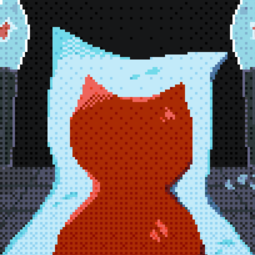
In this pixel-art, side-scrolling action mini-game, the player chases and harasses a girl as she runs through a corridor. The girl hides in boxes along the corridor, where the player searches for her. The player controls the monster.
Estimated playtime:
About 15 minutes to collect all 8 endings, with each playthrough lasting approximately 3 minutes.
Gameplay SPECIMEN HIDE AND SEEK APK
Exploration Part
The girl is hiding in one of the objects in the corridor. You can find her by relying on the sounds you occasionally hear or by luck.
- Attack objects or use items to open them.
- When you attack objects or time passes, the health gauge in the upper left part of the screen decreases. If it runs out, you reach the ending.
- Items for opening objects are found along the paths. You can use them up to two times.
- The ending depends on whether you find the girl, capture her, or do nothing.
Action Part
- At the top is the progress gauge towards the finishing action, and below is the girl's light resistance slider. This is a mini-game where you adjust the slider's range.
- You can stop the resistance slider and fill the progress gauge by giving her an electric shock.
- Once the progress gauge is full, you can proceed towards the finish.
Gallery Mode
- Photos of the endings you've reached can be viewed in the gallery.
- Once you complete the action part to the end, you can unlock sprite mode.
About Saving
When you return to the title screen after reaching each ending, your progress will be automatically saved.
To delete save data, please use the "CLEAR SAVE DATA" function in the game.
You can also easily unlock your progress in the "Unlock Gallery."
Controls
Movement
- Keyboard: A/D, or Arrow Keys (←/→)
- Controller: Left Stick (Left/Right) / D-Pad (Left/Right)
Moving the Left Stick up or down may slow you down.
Attack
- Keyboard and mouse: F / L / Enter / Left mouse click
- Controller: Right button
Investigate/Use/Interact
- Keyboard and mouse: E / I / Right mouse click
- Controller: Left button
Jump
- Keyboard: Space / K
- Controller: Down button
Emote
- Keyboard: Q / J
- Controller: Left button
Open menu
- Keyboard: Esc
- Controller: + / Start button
Menu/UI Operation
Select item
- Keyboard: W / A / S / D, or arrow keys
- Controller: D-pad
The left stick cannot be used for UI operations.
Confirm
Basically the same as the attack button (Enter, left mouse click, right button, etc.)
Important Note:
During gameplay, if there's an object in front of the player that can be "attacked" or "investigated," an icon will appear in the upper left corner of the screen. Press the corresponding button when the icon appears.